DISFOTI

Interaction Design, Visual Design

DISFOTI

Interaction Design, Visual Design
January 2017

Overview
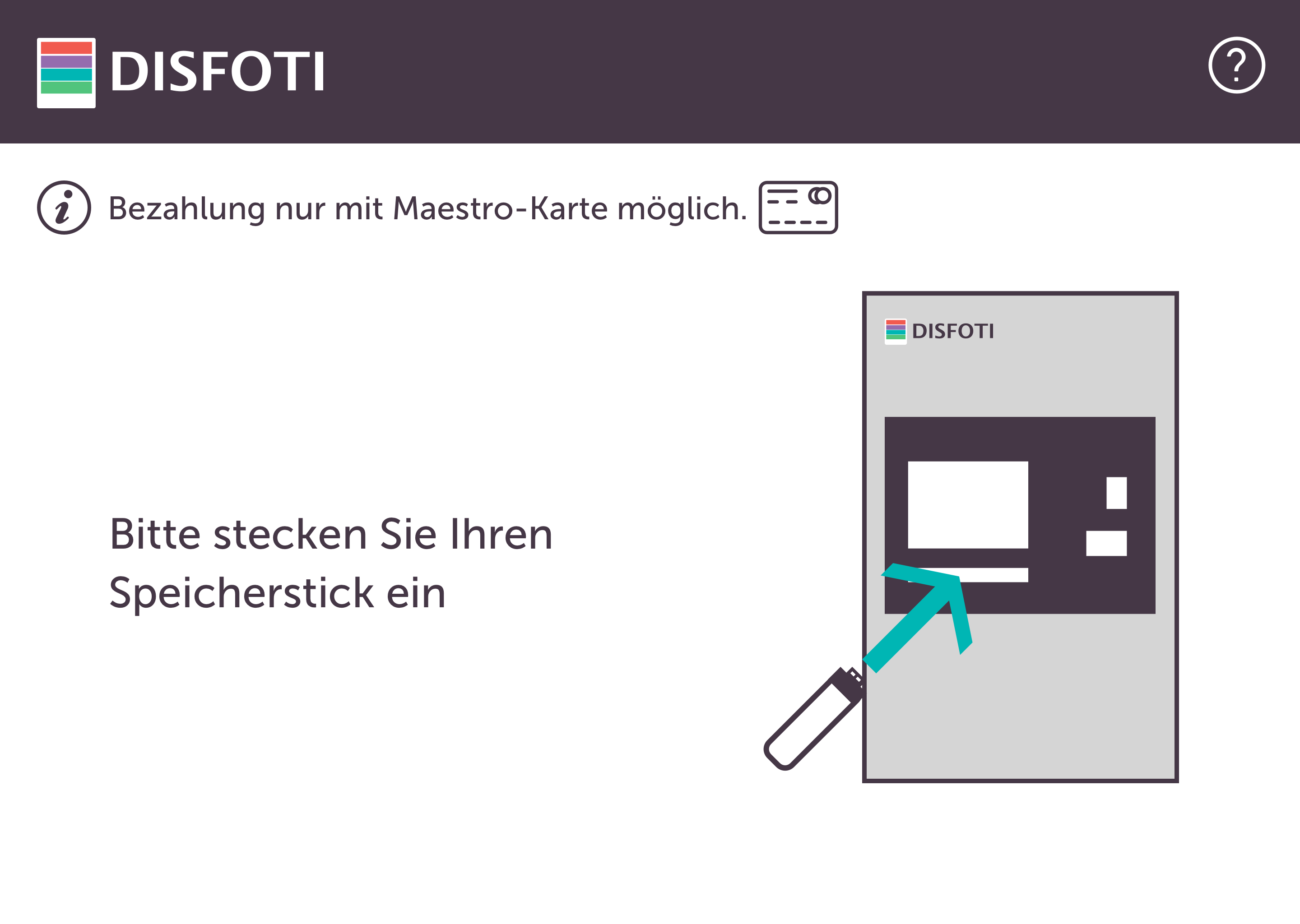
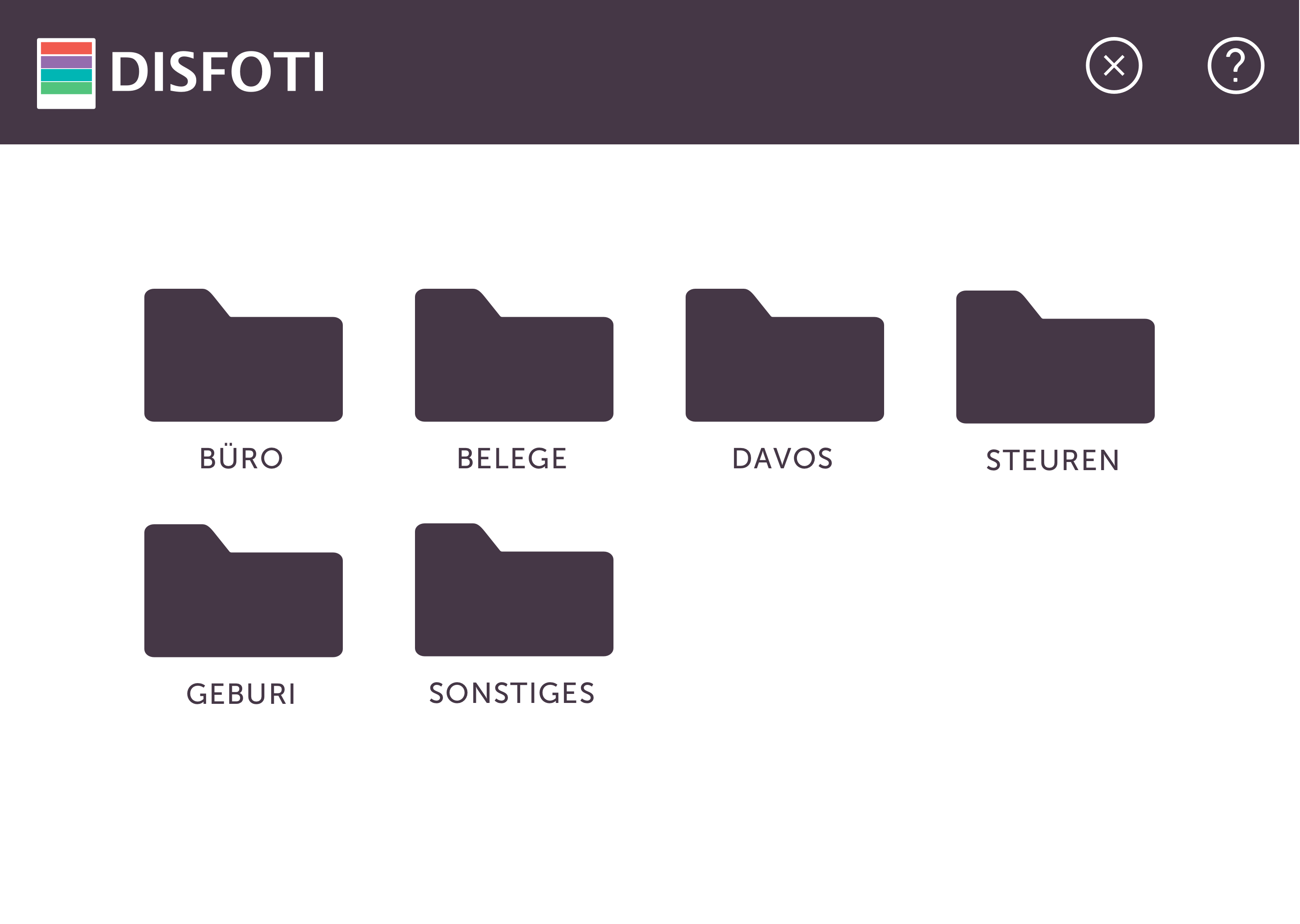
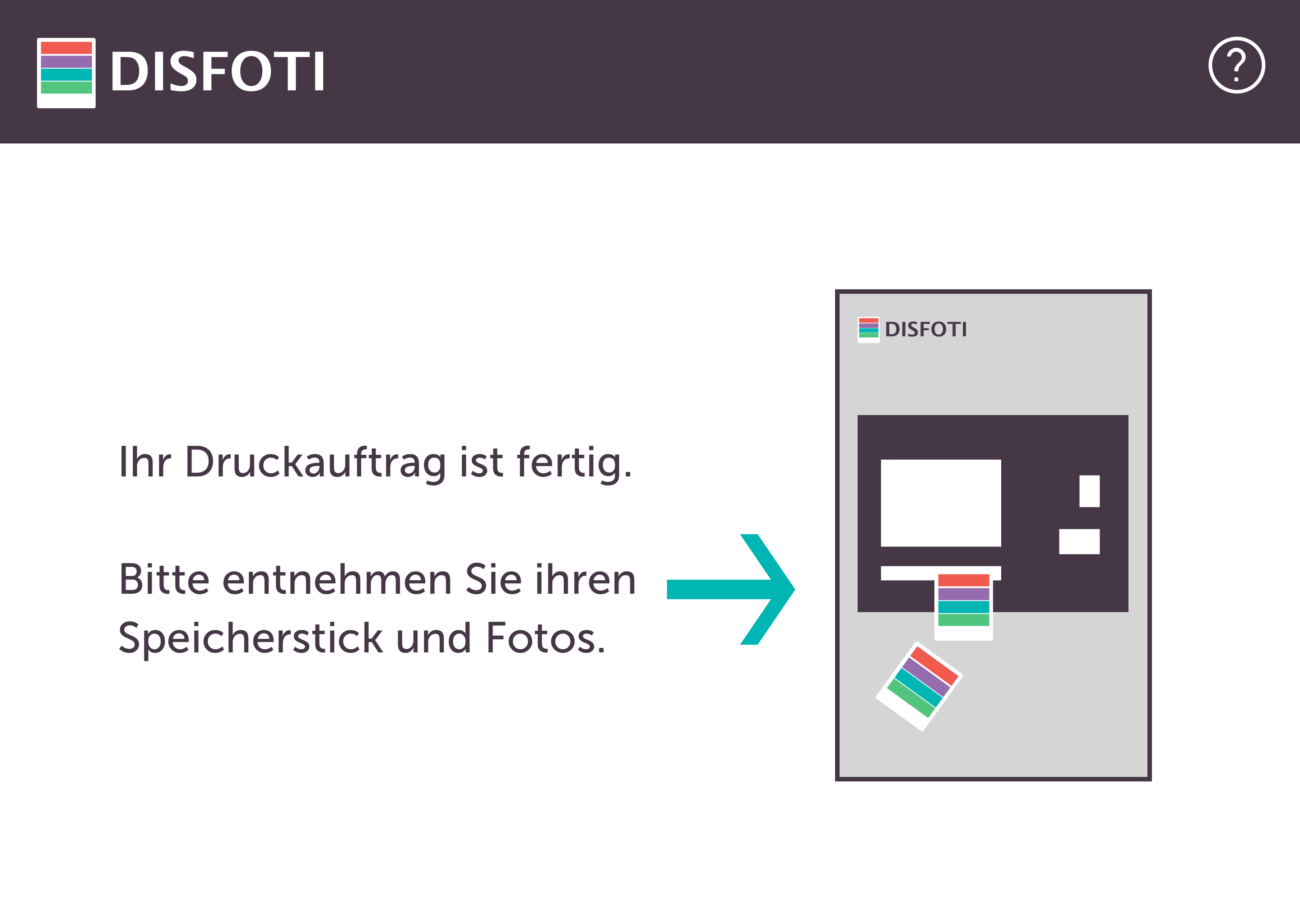
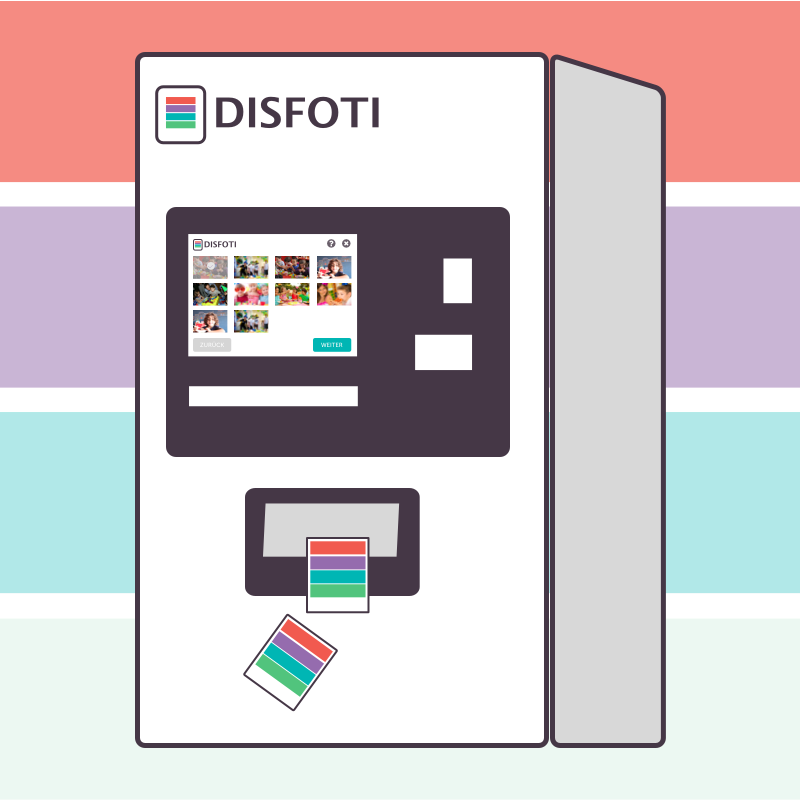
In order to wrap up the Interaction Design class from last year, we attended a case study for two block days. The task was to design an interface of a photo developing kiosk.

My team and I created the brand called DISFOTI, which means in Swiss German „your photo“.

My teammates and contributions
Laura Helfer, Christina Heidt, Cathrin Münchbach

As it is a case study, we tried to work on the interaction and visual design together.
Personas and Keypath-Scenarios
There were two context scenarios, that we could choose from. We decided:„Dominik is a houseman and a father. He took photos at his son’s birthday party wanted to print them. He had no printer at home and only basic computer knowledge. He brings the photos on a memory stick.“

We began with setting up Dominik’s success criteria and jobs to be done.

In order to define a detailed user flow, we used the Keypath-scenarios method, which describes the user story based on milestones with their steps, features and context.

Design Studio und Hallway Testing
The interaction design process began with whiteboard brainstorming:

Applying the Design Studio, which was one of the methods that we learned last year, we could share our ideas and extract the essentials out of them.
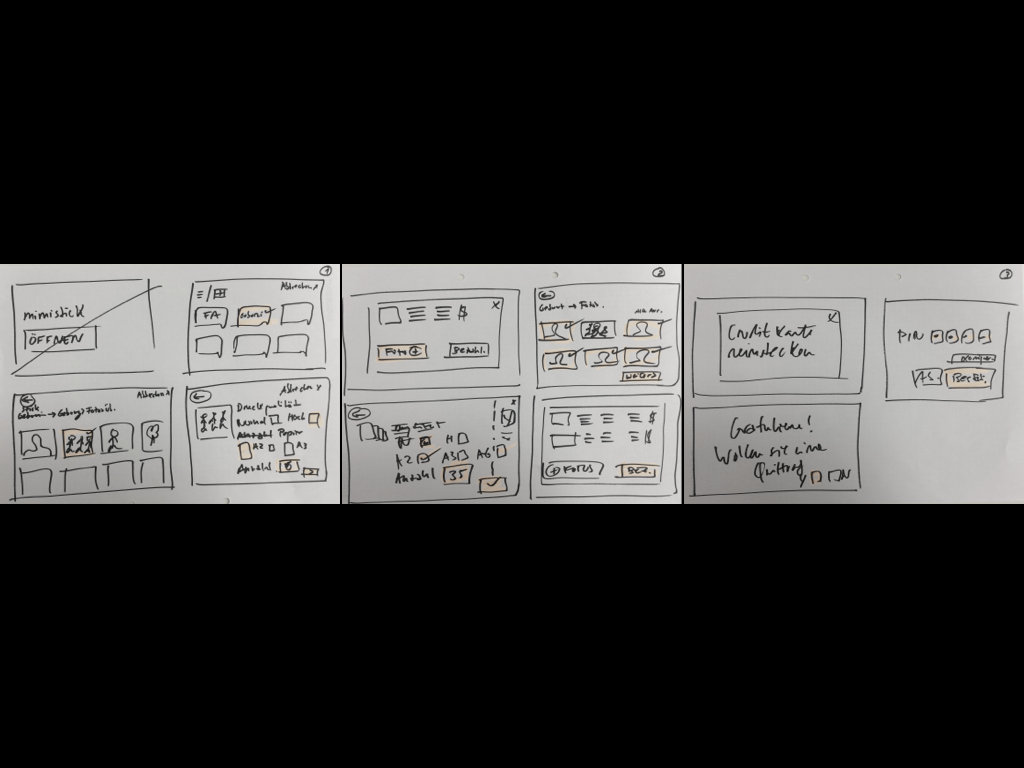
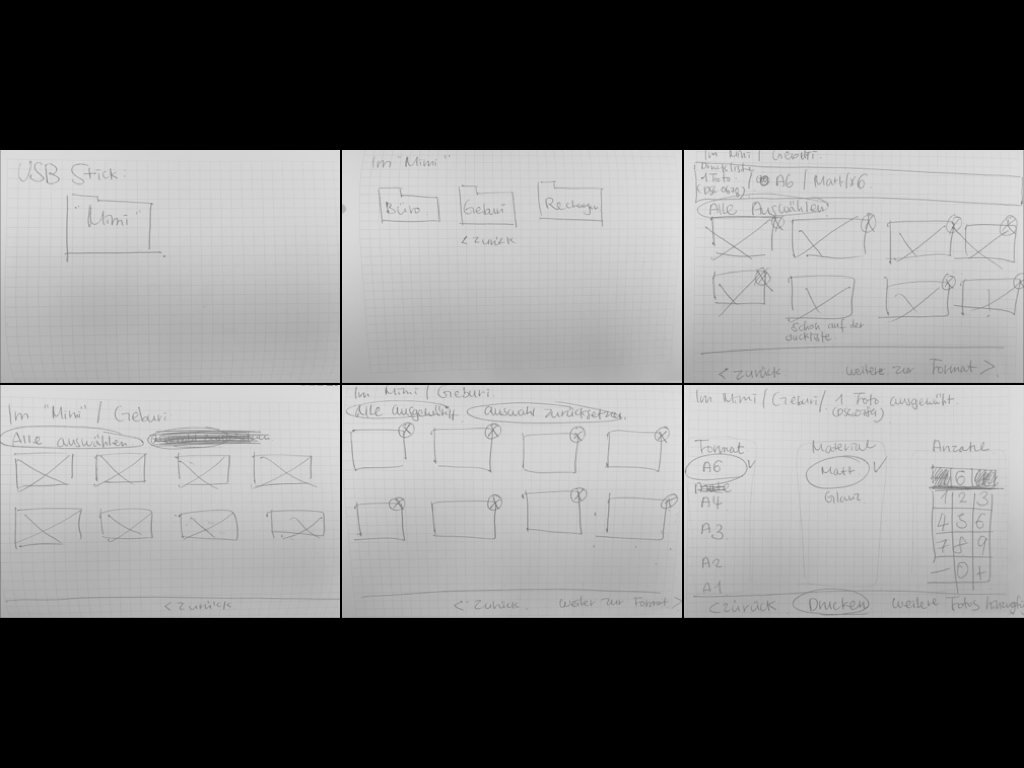
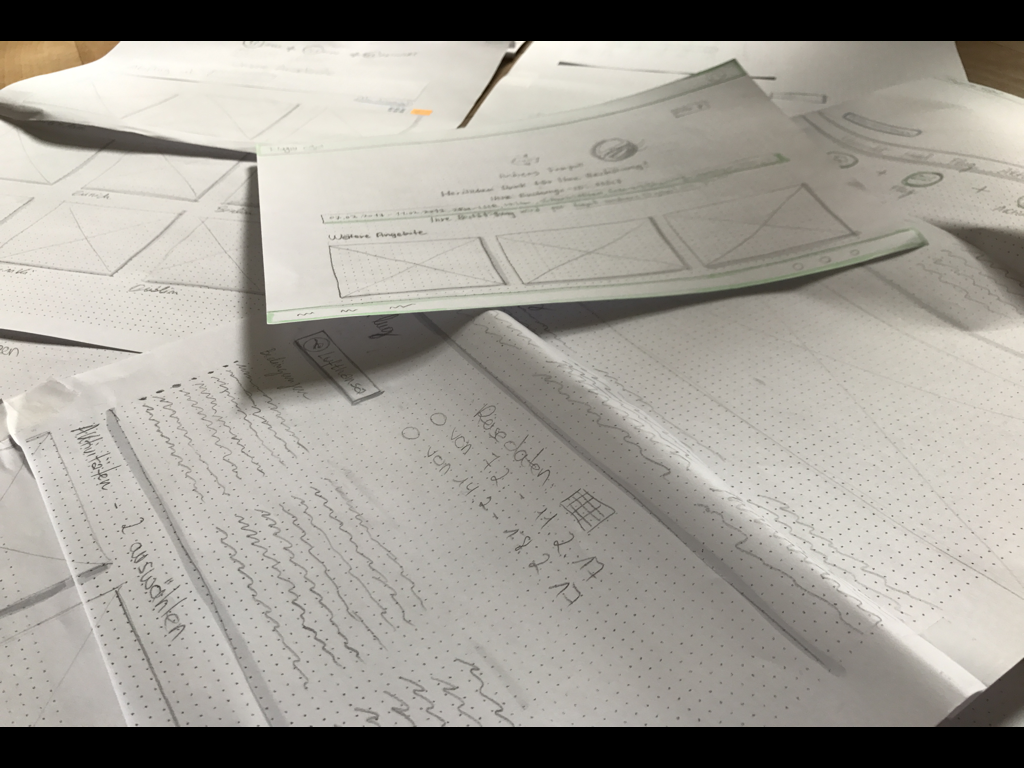
To test out the user flow, we used Hallway Testing with our hand-drawn paper prototype.
Thumbnails and Wireframes
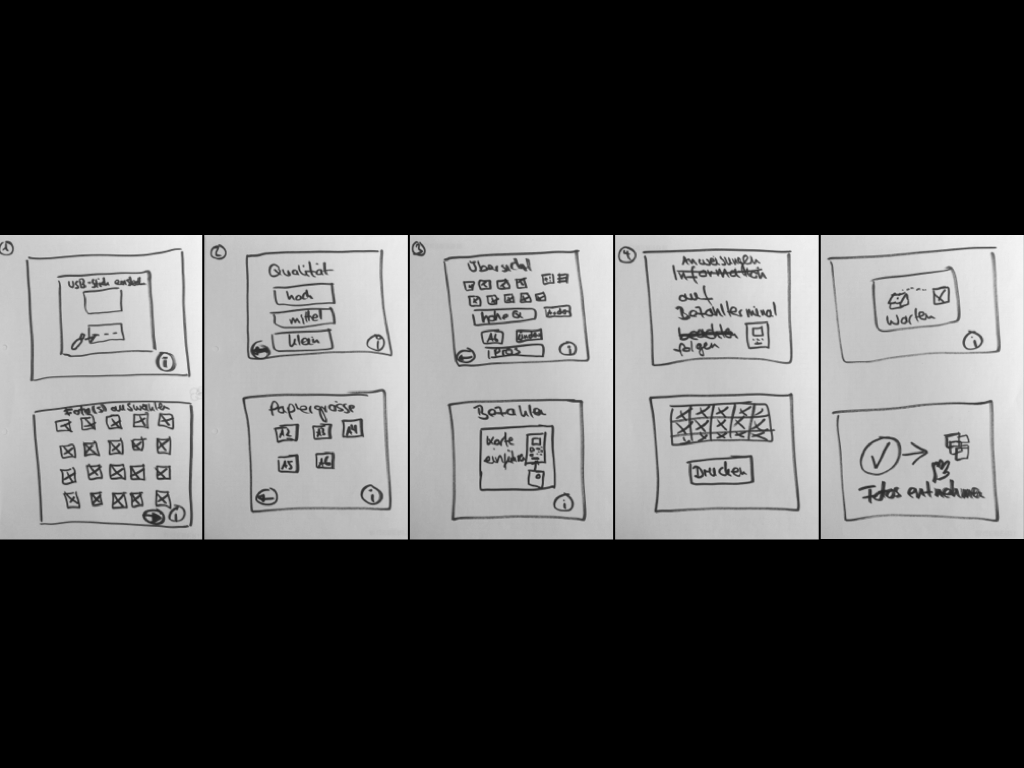
Based on the findings, we created hand-drawn thumbnails to give an overview of the user flow. Which is useful to prevent some missing steps in advance.

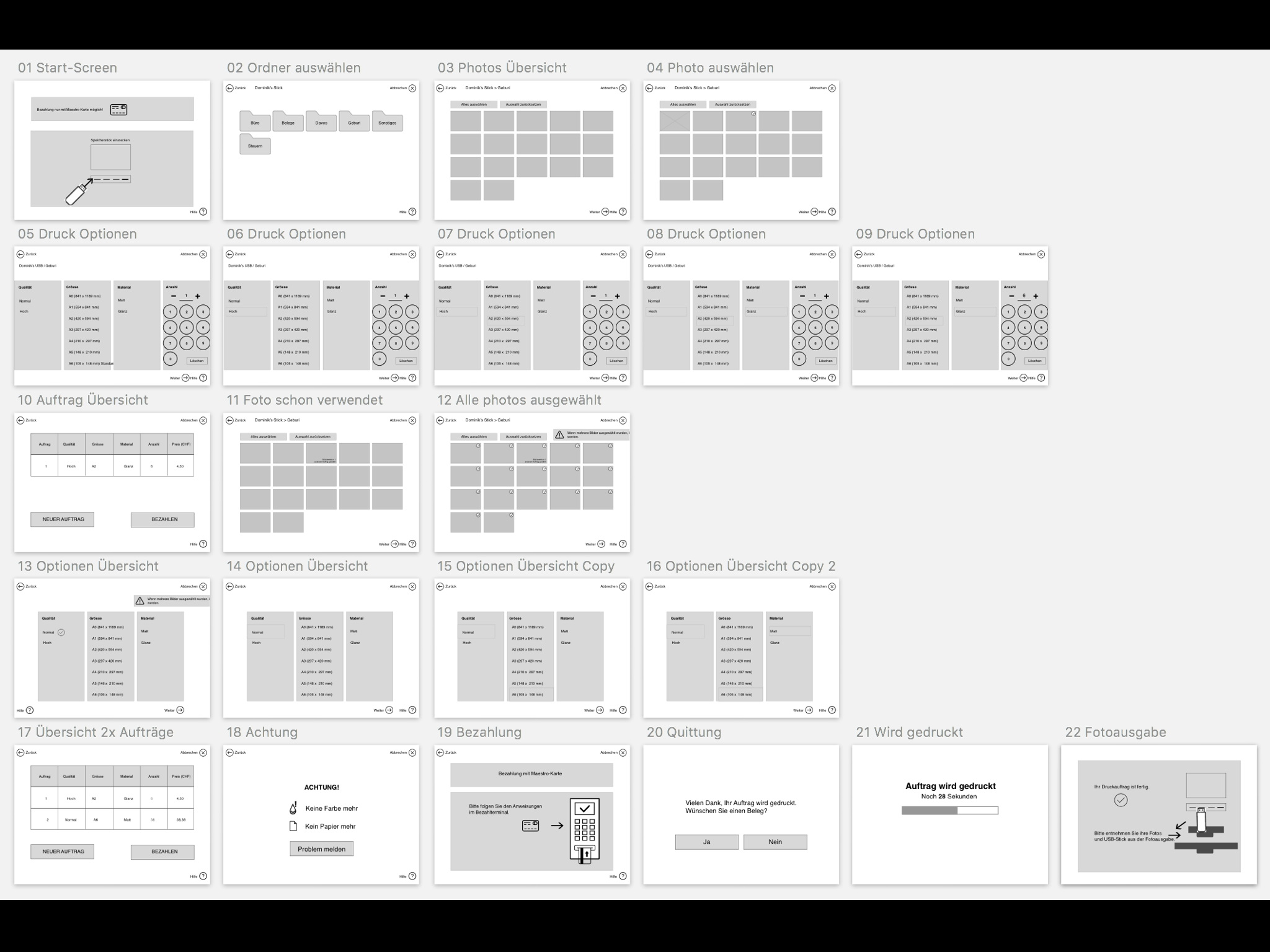
Then we created a digital wireframe on Sketch, which made it easier to move on to the visual design phase
Moodboard and Branding
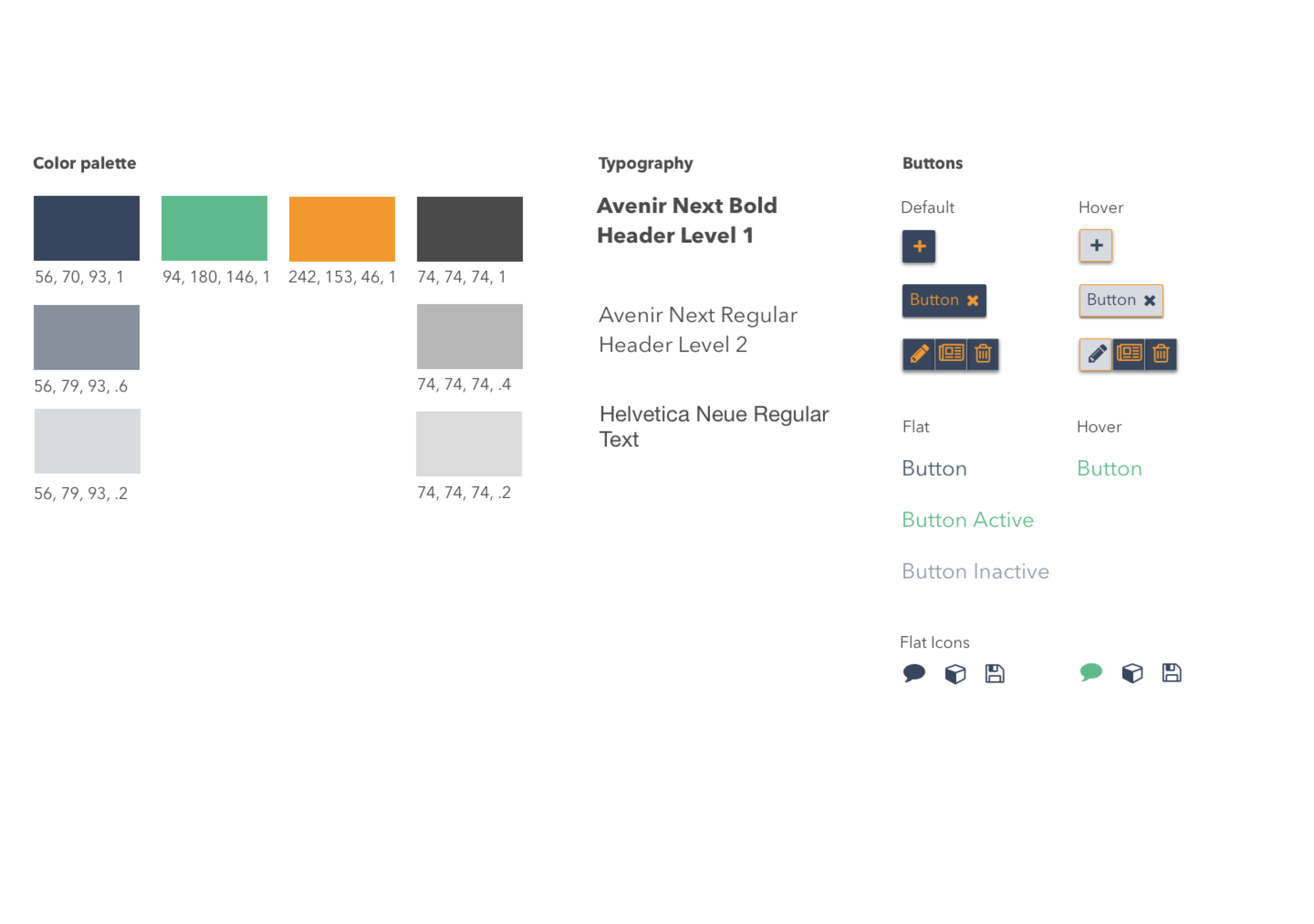
For branding we have chosen the label Polaroid, which gives our users a feeling of a simplicity. Based on that and our own Mood Board, we have created DISFOTI’s logo and style guide
Visual Design
Lessons Learned
How and when should we communicate with users?
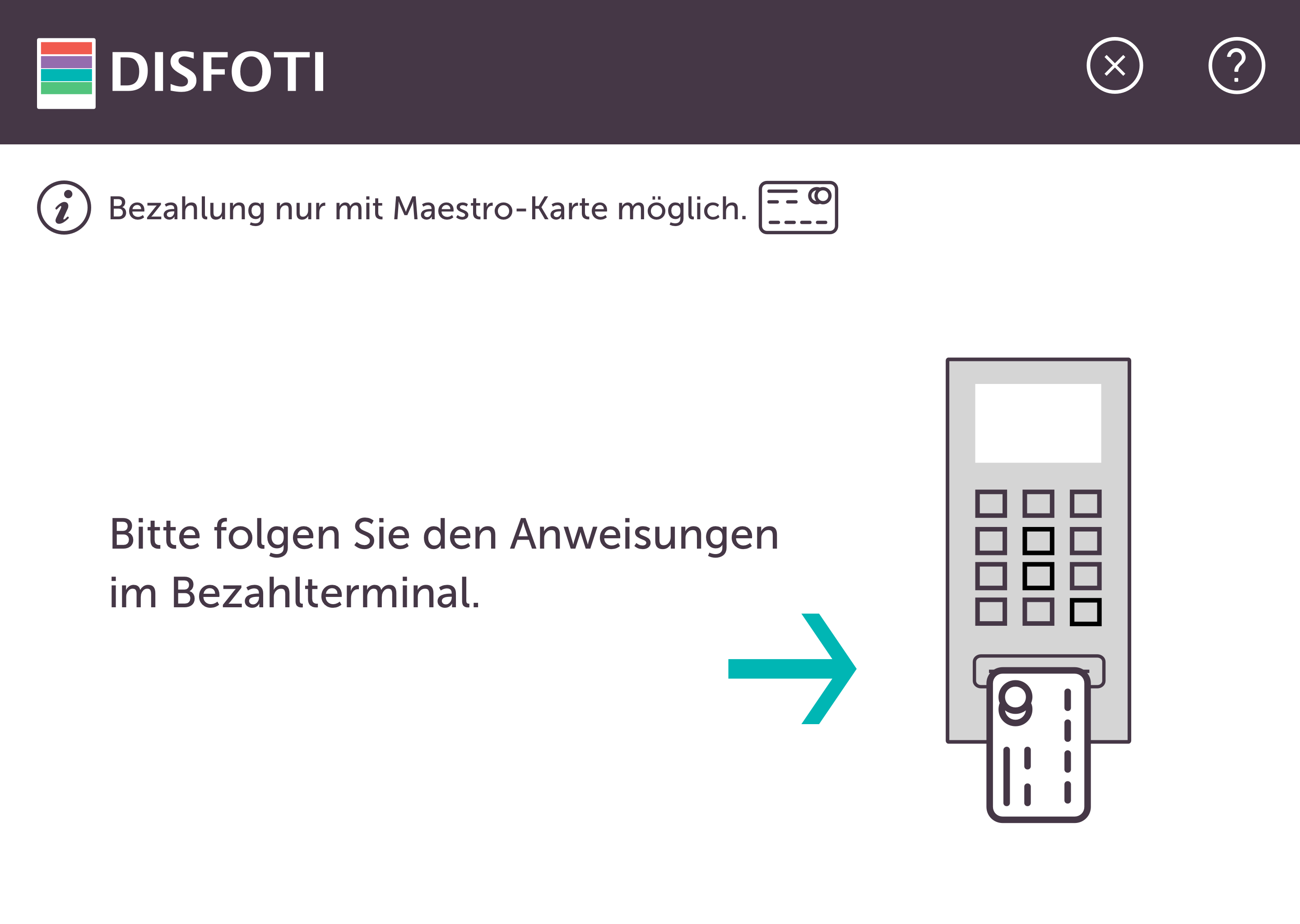
One of the most tricky requirements was that the kiosk payment system only accepted Maestro cards.
-
Our team offered an information, which is always shown underneath the header that the users pay attention to themselves. Meanwhile, another team solved that problem cleverly: the user can start the developing process only if a Maestro card has been inserted.
Visual levels of functional elements
There were quite a lot of functional elements such as „help“ or „going back to the last page“. In the beginning we applied the same design elements, but the page ended up filled with too many buttons.
-
We decided to design buttons using different ui-elements depending on the frequency of their usage.
Scenarios are going to have a big influence on the design elements
Our persona Dominik wanted to print 16 photos and present them to all the guests in our Keypath-scenario.
-
For that use case we designed a calculator-like „add units“ button.
We didn’t expect that we were the only ones, who came up with that idea. The other groups had only plus and minus buttons. Probably that use case happens more frequently than ours: printing 16 photos. Here I recognized that just one sentence can lead to a quite big functional change, that’s why it is important to clearly define and validate requirements, before or during writing scenarios
Technical Use
Sketch, InVision, Keynote

Bon Bon

Interaction Design, Frontend Development

Bon Bon

Interaction Design, Frontend Development
Spring, Summer 2017

Overview
Siroop is an online market platform for a number of local and online shops. On the homepage you can find more than 1’000’000 products. But one single homepage is too limited to show and to promote, what siroop actually offers.

To make the best use of a wide range of the products, siroop wanted to have an alternative channel, which presents the products in a different way.

Bonbon is a hybrid app available on iOS and Android. It is built with theme worlds, which contain actual trends to inspire our users. Users play a Tinder like game with products curated by siroop.

Type
Hybrid app - Android and iOS
Problems and solutions
Siroop wanted to develop the interaction concept for the next iteration. We have a bonbon community, which is growing continuously, but we wanted to boost the number of our users. Here we had two assumptions, why the community is not growing as fast as we wanted.

Firstly, it didn’t match the expectation. According to the comments on the Play Store or the App Store, many people expected that this app is from siroop and offers a similar shop experience.

Secondly, the reward of the app was too little. There were not many reasons, why our users should come back to this app. Once they got the right recommendation, they reached their goal and the app was no more needed. For that reason, we wanted to extend the concept, so that it appeals the community to come back again.

For that iteration we worked closely with Ginetta, an external web agency. Firstly, we defined our existing personas more detailed. Afterwards, we worked using The Value Proposition Canvas, mainly with the Value Proposition and Customer Segment parts. Based on that, we developed the concept with The Hook Model, to find out how we can explain the concept more clearly and attract users downloading bonbon eventually.

The concept has been tested over two iterations, and I prototyped a clickable webapp, which was built using React.js. The reason why we did that, was that some of the animations and structures were difficult to test only as an image format.

The concept is now in the implementation phase and will be launched soon, this is why I also cannot describe the results of the concept in more detail.

Technical Use
AngularJS, ionic 1, Gulp
Links
Android Apple

Flugio

Interaction Design, Visual Design

Flugio

Interaction Design, Visual Design
Dec. 2016 - Mar. 2017

Overview
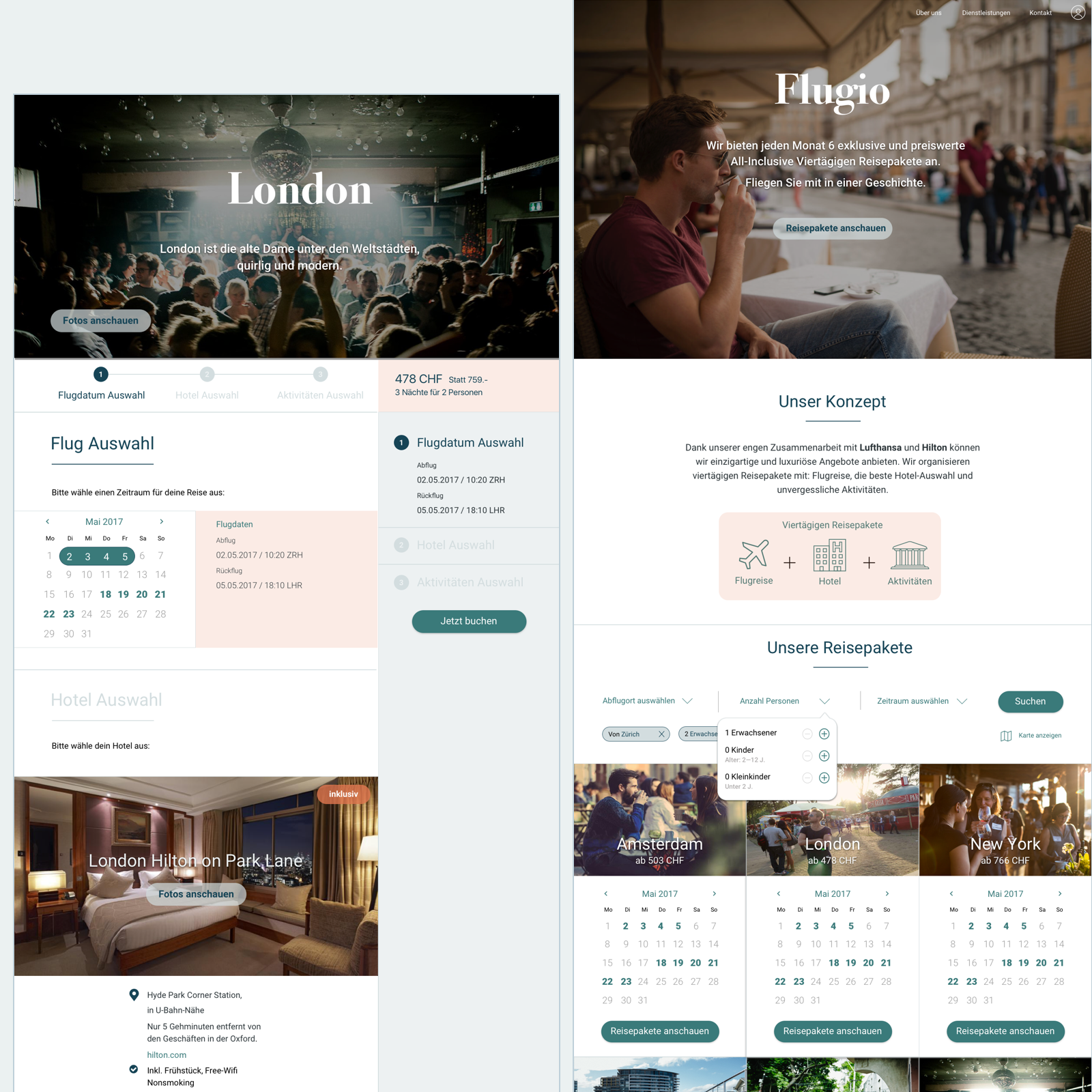
This project was a practical project aimed to complete the Interaction Design module at HSR. We needed to look for a client for this project and deliver clients’ needs in the interaction design sector.

The goal of this project was to validate Flugio’s existing interaction and visual design concept from a users’ perspective and enhance the concept based on findings.
A starting point and problem in traveling
Flugio is a startup idea and targets people, who are not bounded to any place and have flexible working time. They love to discover new places around the world with less time consuming to plan these travels.

Flugio helps those people by offering a travel package service with flights, hotels and activity add-ons, which makes it easy and quick to organize the travel and just the same meets their needs.

The owner of this idea already undertook a desk research about the travel behavior in Switzerland and develop a visual Hifi-Prototype. Based on that we started to model the user requirements and conducted the Expert Review of the Hifi-Prototype
Research
The travel market research at University of St. Gallen was an important source for the modeling of our target group. This research was based on a survey from a sample of households, located in the German- and French-speaking parts of Switzerland (3,403 households). It was conducted underneath key travel variables, which were helpful to design personas and packages.

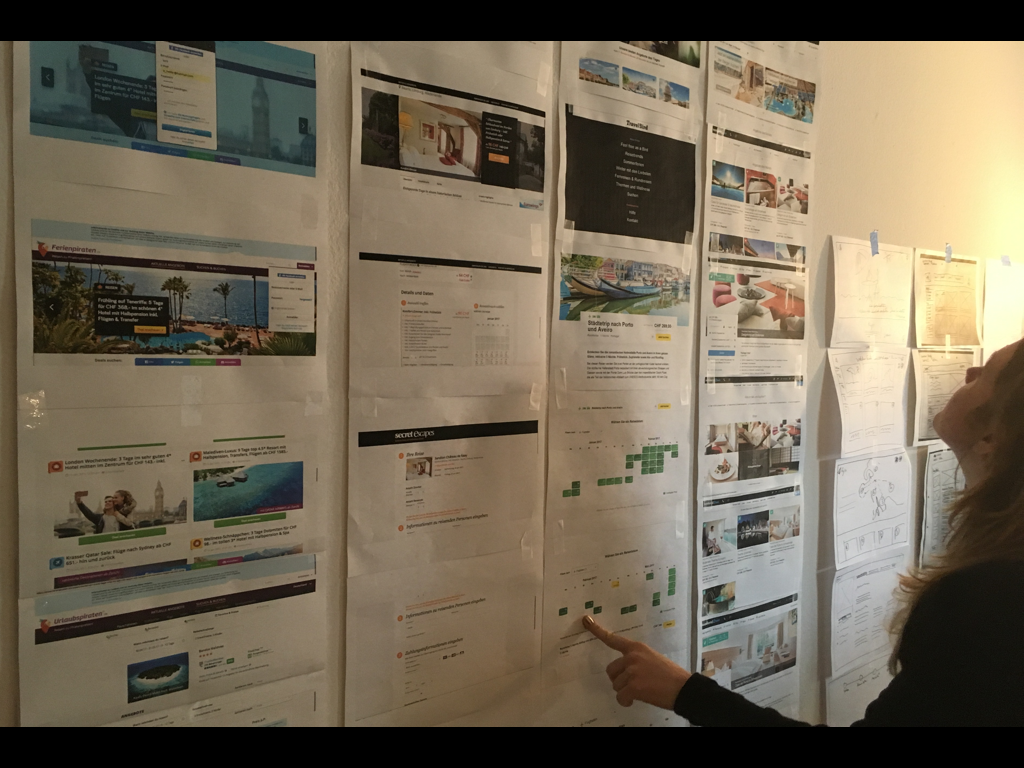
Additionally we proceeded a Competitive Analysis: weekend4two.ch, travelbird.ch and so on.

Mini lessons learned
Material should be the most recent:
-
This research was published in 2012. Even if we assumed that the main habits don’t change that quickly, the circumstance has been changed quite a lot in the last 5 years. For example, Airbnb was not in the main stream yet at that time, which was the most frequently mentioned accommodation option during the usability testing.

To enhance validity and empathy, Qualitative Research is a must do:
-
During the usability testing phase we recognized that we actually should have conducted some qualitative research to get closer to users’ pains and gains. The reason why is that, statistic numbers can be formulated, how we actually want to see the business possibility or user needs. This can cause a small or big strategy failure.
Personas based on the research
Swiss people want to go for traveling for following reasons:
  • To seek for Relaxation and enjoyment
  • To experience natural and artificial sights
  • To get away from daily routine
And usually go to Switzerland or to Neighboring Countries:
  • They stay in general in 4 stars hotels
  • They leave mostly in July or Oct
  • They travel by car or scheduled flights
Expert Review of the existing concept
For a better understanding of the existing concept, we proceeded an Expert Review according to „10 Usability Heuristics“. Afterwards we also conducted three Usability-Testings to validate strengths and weakness of the concept from the user’s perspective. The reason, why we just had three testings, was that the learning curve was very low. The following points were our findings:

Postive aspects
  • Calm and atmospheric
  • Simple and minimal
  • Consistency of colors and ui-elements
  • Status was always visible
Which we can improve
  • Information architecture
  • The package concept can be informed more clearly
  • Reduce the redundancy steps in the user journey
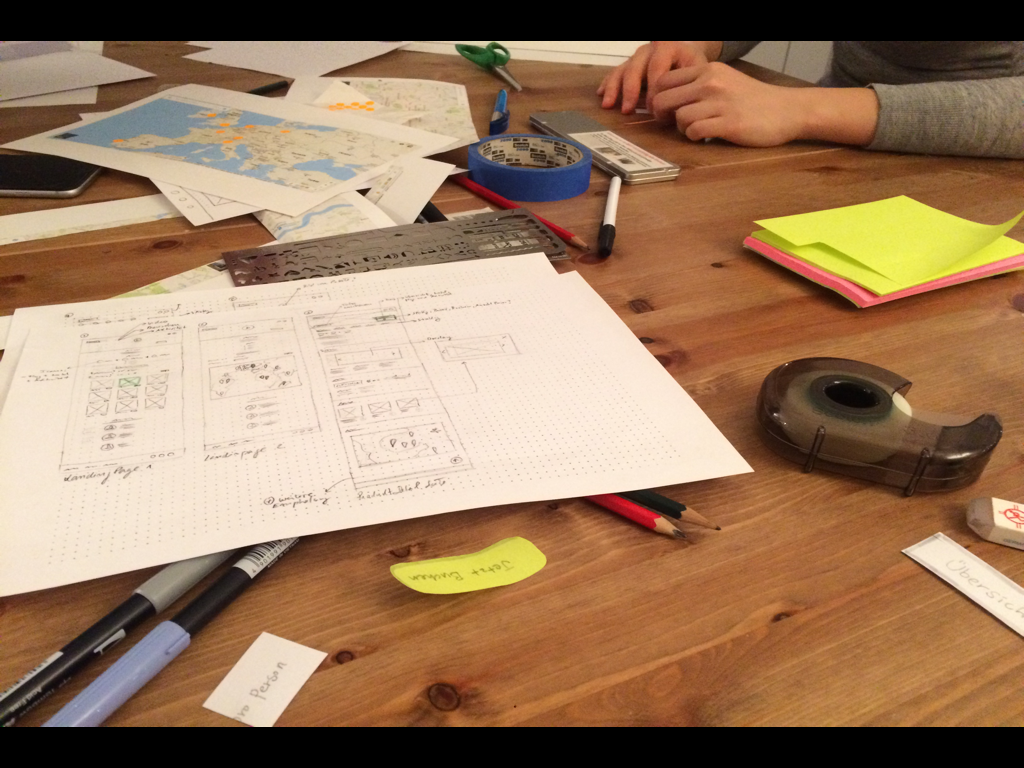
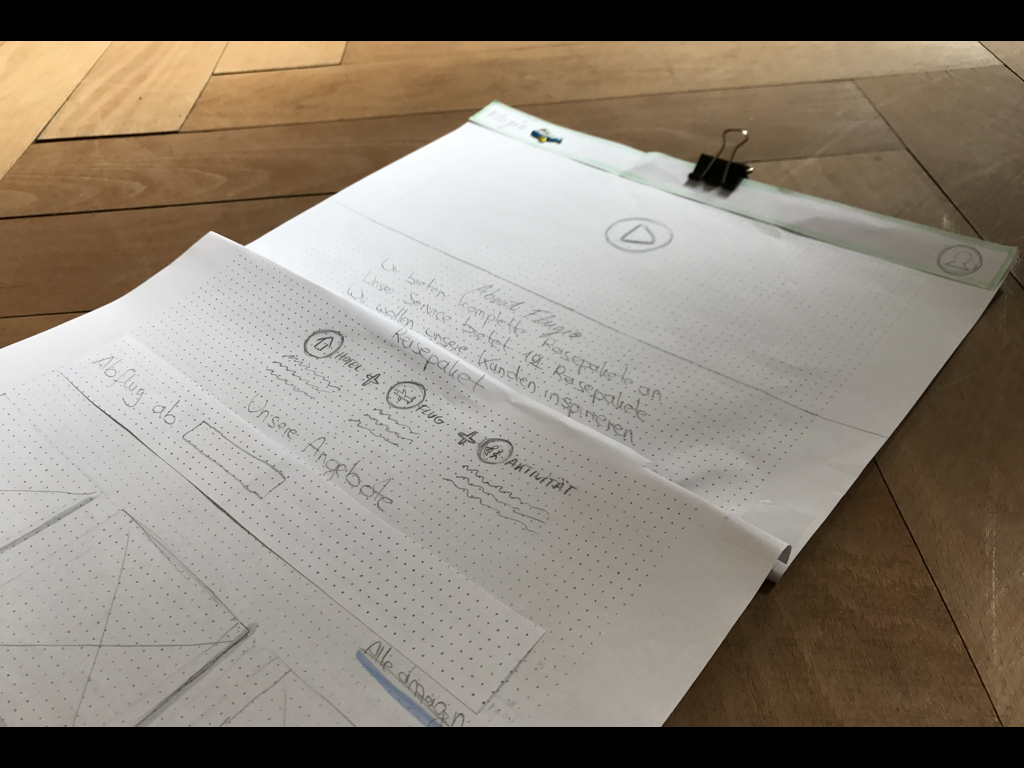
Sketching
For a better understanding of the existing concept, we proceeded an Expert Review according to „10 Usability Heuristics“. Afterwards we also conducted three Usability-Testings to validate strengths and weakness of the concept from the user’s perspective. The reason, why we just had three testings, was that the learning curve was very low. The following points were our findings:

Postive aspects
  • Calm and atmospheric
  • Simple and minimal
  • Consistency of colors and ui-elements
  • Status was always visible
Which we can improve
  • Information architecture
  • The package concept can be informed more clearly
  • Reduce the redundancy steps in the user journey
Usability Walkthrough with a paper prototype
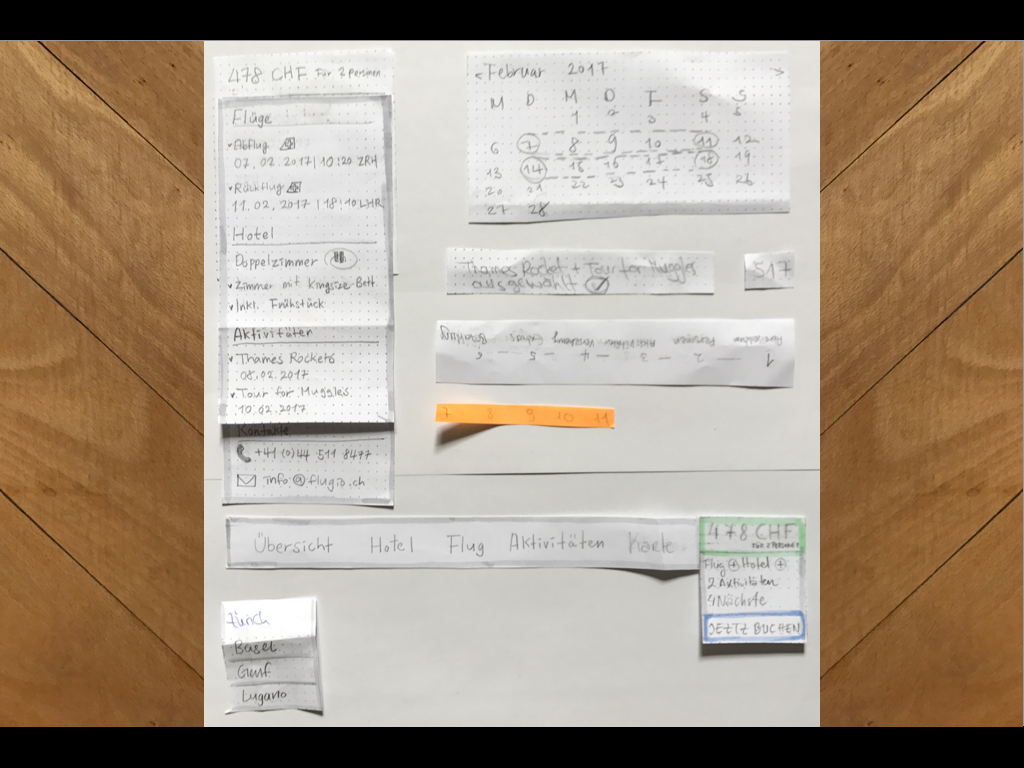
To prove the concept, we conducted 6 Usability Walkthroughs using a paper prototype based on the RITE method (Rapid Iterative Testing and Evaluation). Significant findings were adjusted after every two sessions.

In the phase we could have approval of the following concept:
  • Clearly represented available deals are on the homepage
  • Stepwise navigation
  • A summary of users’ selections
  • Intuitive structure of the whole user journey
What we should improve:
  • Too less hotel choices
  • More recommendations from the actual users
  • Redundancy of data input fields
Usability Testing
With that findings we have created a clickable Lofi-prototype and conducted 6 Usability Testing.

Positive aspects:
  • Simple structure
  • Price and the summary is alway visible
  • User can edit the options, just before the checkout
Should be improved/modified:
  • Wording
  • Doubled CTA buttons
  • A calendar was interpreted as a clickable element
Interaction Concept with Visual Design
There were quite a lot of functional elements such as „help“ or „going back to the last page“. In the beginning we applied the same design elements, but the page ended up filled with too many buttons.
-
We decided to design buttons using different UI-Elements depending on the frequency of their usage.
My teammates
Laura Helfer, Cathrin Münchbach
Technical Use
Sketch, InVision, Keynote

Gift Finder

Frontend Development
Video credit: siroop.ch

Gift Finder

Frontend Development
A project for Christmas 2016

Overview
Last year, during the Christmas season, I was working in an interdisciplinary team out of tech, sales, content management and marketing specialists, which was called „Christmas Experience Team“. The goal of the team was to find out how to provide a better customer experience during the season.
Problems during the Christmas season
Firstly, we brainstormed within the team about what bothers us mostly during the Christmas season. Out of the results, we created a survey to figure out, which points also bother our customers, when they want to buy Christmas gifts.

Around 300 customers participated in the survey and the top two answers were:
- I don’t know what to buy.
- The delivery is mostly delayed during the Christmas season, but anyway I buy gifts at the last possible moment.
Solutions
To solve the first problem, we decided to build a gift finder tool, which is based on ones age and interests, to whom our customers want to buy gifts for. The tool was designed to inspire them with something positively unexpected or special.

The conversion rate from the tool was around twice as high as the actual shop, what we were very proud of.

For the second problem, we introduced the same-day-delivery.
My contributions
I developed the Gift finder application using React.js. Additionally, I created new design patterns for siroop’s live pattern library using Twig, Sass and Gulp.
Type
Resonposive
Methods
Iterative procedure based on Scrum
Technical Use
React.js, Twig, Sass
Link
https://siroop.ch/giftfinder

New CMS

Interaction Design, Visual Design
New CMS

Interaction Design, Visual Design
Overview
The CMS at Tamedia was almost 15 years old and has gotten new features over the years. Even though there were many pre-existing CMS, both commercial and open source, it was difficult to find one, which fits the exact needs of Tamedia’s editorial contents. For that reason we decided to build our own.
Problems
One of the biggest problems is that users tend to read articles on mobile often but the CMS is optimized for desktop articles.

Secondly a lot of features were added, whenever they were needed, which overfilled the system and therefore journalists couldn’t concentrate on writing.

Thirdly the CMS was not flexible enough for structure and strategy changes.

Lastly the CMS was not also perfectly designed for breaking news and live tickers. Even though they should be published as soon as possible, there were quite a lot of redundant steps.
Solutions
To address the first problem, a mobile preview for every title has been added.

To not distract while writing an article, a distraction free mode and an auto save function have been added.

For the flexibility of publishing articles for different titles, every article has an instance and can be edited for its own character and be republished.

To improve the user flow and efficiency, different types of presets were implemented.
Type
Desktop
Link
Link to Lofi-Prototype
Visual Design
Type
Desktop
Methods
Quantitive Requirements Research, Iterative procedure
Technical Use
Balsamiq, Sketch, InVision

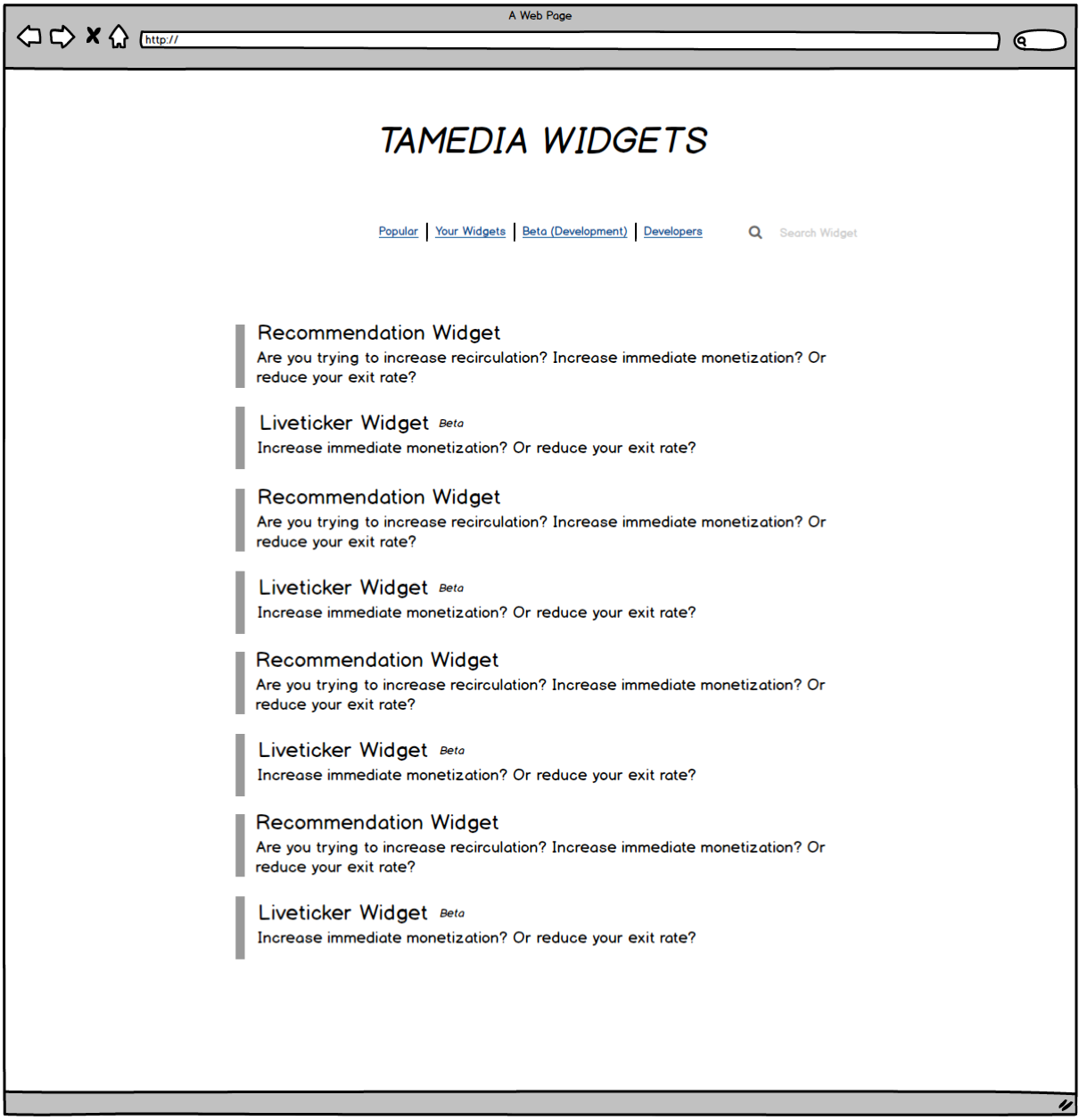
Widget Sharing App

Interaction Design, Visual Design

Widget Sharing App

Interaction Design, Visual Design

Problem
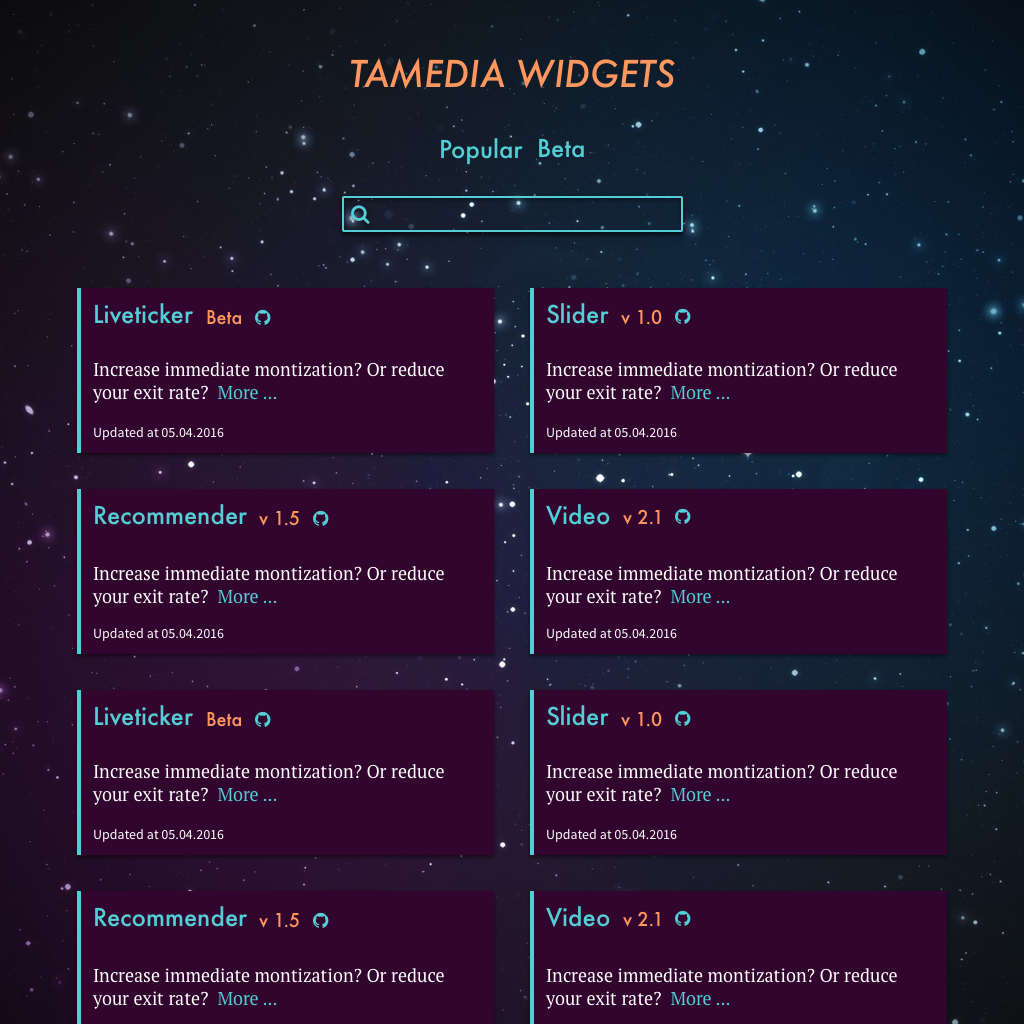
Tamedia is the biggest media company in Switzerland. It has more than 20 newspaper titles and offers several internet services. By 2016, almost every title had its own IT team or support team and all worked independently.

After the fusion of the two biggest IT teams, we also wanted to work more efficient, that means we do not produce different products with the same content and share our know hows not only between our team members but also between the other teams at Tamedia.
Solutions
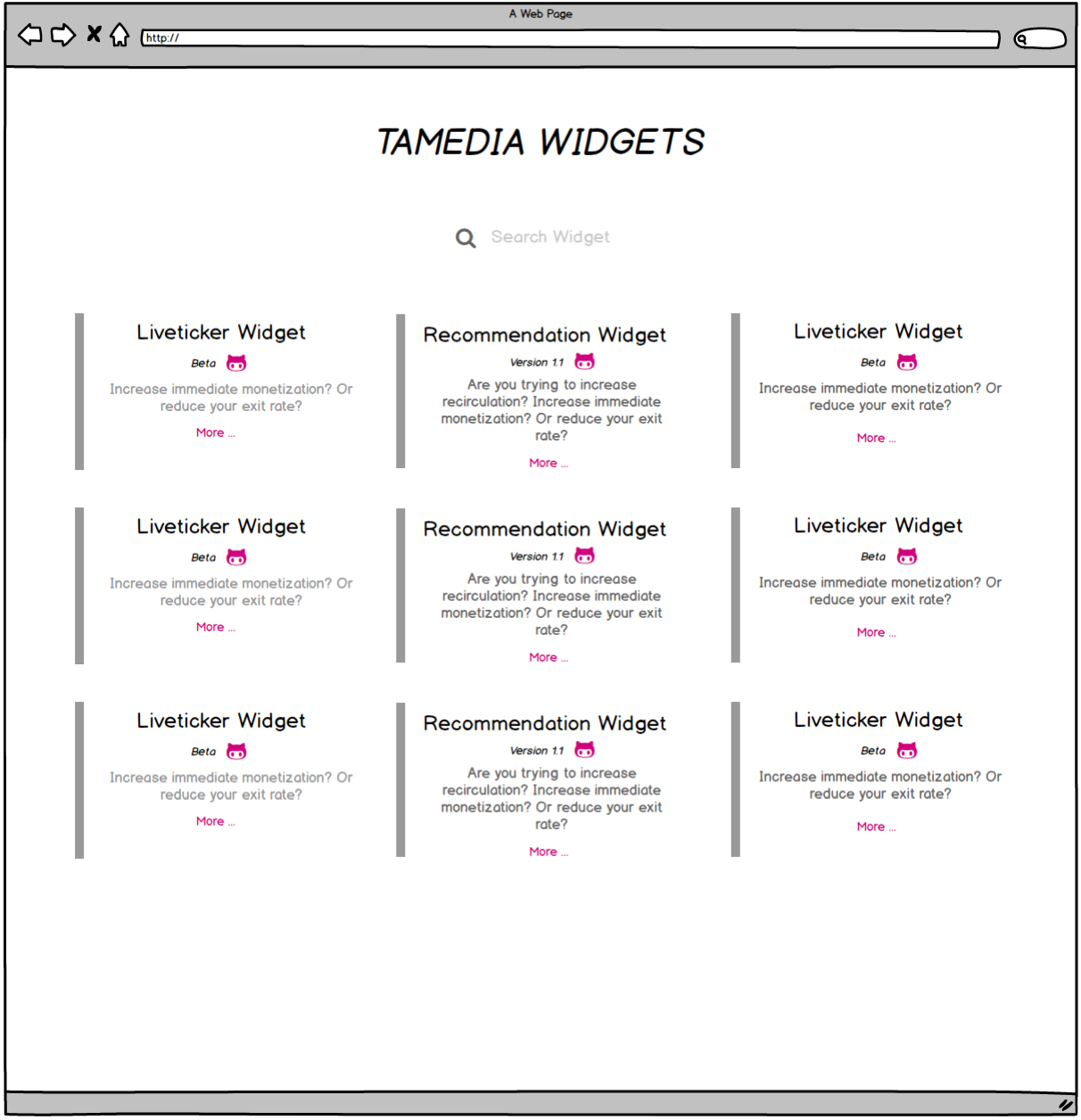
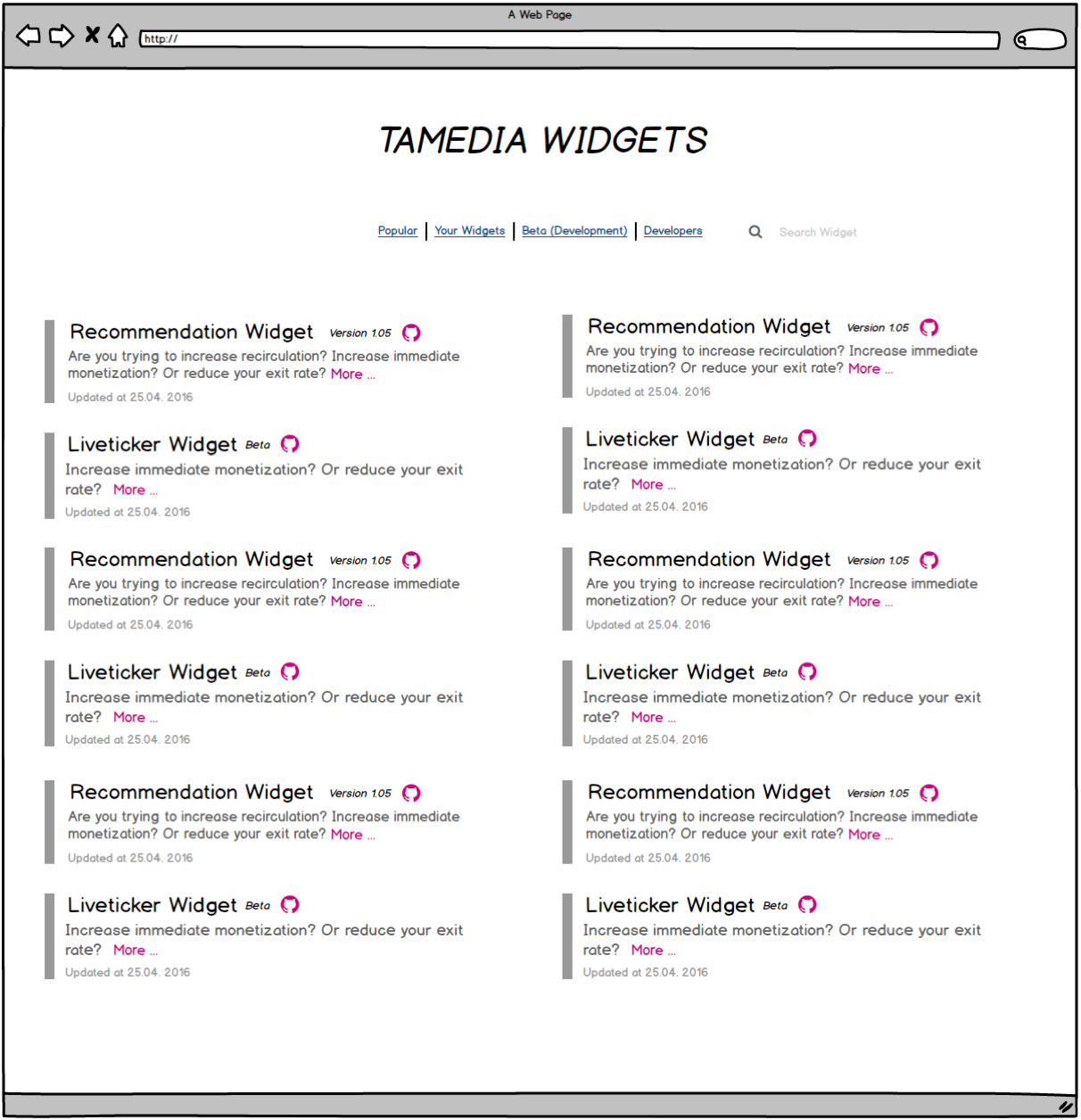
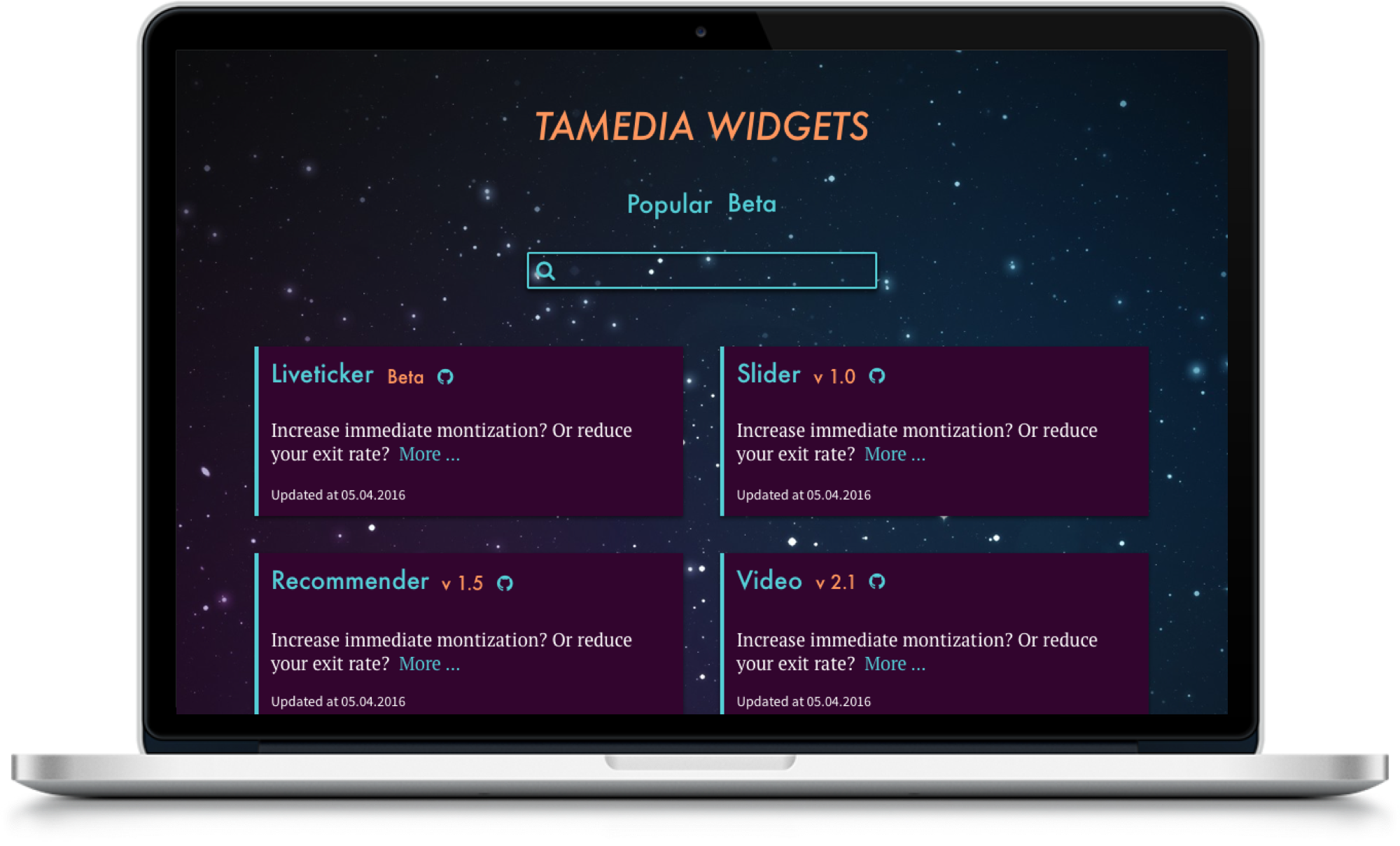
The new hub „Widget Sharing App“ helps to complete widget implementations.

It is a library of documentations with:
- all prerequisites for set up
- instructions of how you can implement them
- previews of how they look like
Additionally all the employees can contribute to create widgets and fix bugs
My contributions
I worked on this project together with the supports and advices of the Digital & Development team. I created the information architecture, interaction design and visual design.
Lofi Prototype - Start Page
Lofi Prototype - Detail Page
Visual Design
Type
Desktop
Technical Use
Balsamiq, Sketch, InVision

Le Chef

Interaction Design, Visual Design, Frontend Development

Le Chef

Interaction Design, Visual Design, Frontend Development
A graduation project of „Frontend Engineering“ at HSR, 2015

Type
Responsive
Overview
Back in 2015 I did a lot of design implementations using HTML5 & CSS3 in my job at Tamedia. I wanted to extend the scope of my job and increase programming knowledge. I began with some little tasks with the support of my colleagues at work and I found out that I had much fun to learn programming. At this moment I decided to attend „Frontend Engineering“ at HSR.

At „Frontend Engineering“ we learned everything from „HTML5 & CSS3“ basics to „Single Page Application“ using different frameworks such as „Angular 1“ and „Meteor“.

We had two practical works over the year and „Le Chef“ was the graduation work of Nora Rusterholz and me as a team.

We began with brainstorming of what fascinates us. We wanted to build something not only for studying. We both very much like cooking and sharing photos on several social media channels. So we came up with a „Cooking Recipe Sharing App“.

My contributions
The goal of this project was that we both learn as much as possible. We met each other twice every week and began with „Design Studio“ for interaction & visual design and did „Peer Programming“ later on.
Roles
Information Architecture, Wireframing, Prototyping, Visual Design, Frontend Implementation
Technical Use
InDesign, AngularJS, Firebase, CKEditor, Gulp
Zusammenarbeit
Nora Rusterholz
Link
http://lechef.noerdli.ch

    Functions

  • Create recipes
  • Edit recipes
  • Share recipes on social medias
  • Be able to give feedbacks
  • Access to the CMS with login
  • WYSIWYG editor
  • Realtime Database with Firebase

Multimedia specials

Frontend Development for mobile

Multimedia specials

Frontend Development for mobile

Overview
Although the web technologies have been evolved rapidly, digital articles still have been published using only traditional formats like printed newspapers, which offer big headlines and cover images.

The Digital Innovation Team at Tamedia wanted to publish new experimental and exclusive articles, which apply modern web technologies and offer readers a fresh experience while reading them.
Type
Reponsive Design

Roles
Design implementation for mobiles
Technical Use
HTML5, CSS3, Sass, Handlebars, Grunt, JavaScript
Links
Vordenker
Lady Discothèque
Regierungsratswahlen Zürich 2015
Was wir Waehler wollen
Was bringt 2015?

Tamedia AG Paywall

Frontend Development

Tamedia AG Paywall

Frontend Development

Overview
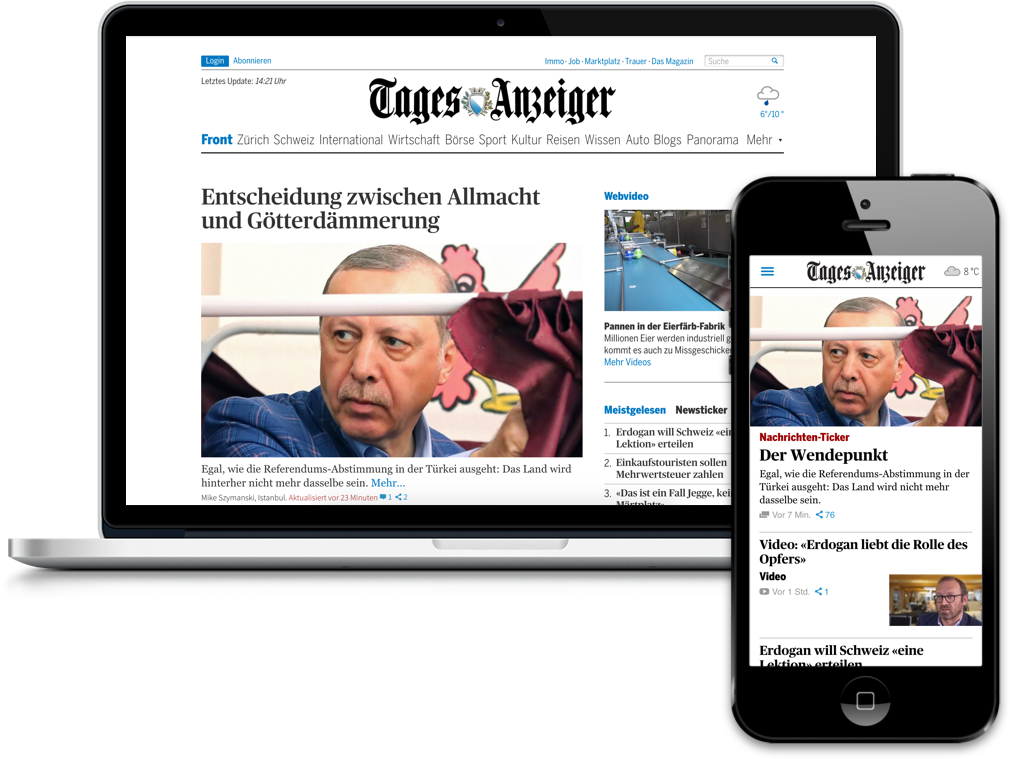
Back in 2013 I started my first internship at the frontend team at Tamedia AG. Tamedia AG wanted to offer a better digital experience to their readers and win new subscribers. For that reason Tamedia AG decided to redesign all their newspapers on desktop and mobile.
My contributions
I refactored the complete HTML structure and implemented new designs using HTML5/CSS3 follwing the artdirectors design guide.
Desktop
Tages-Anzeiger   /   Der Bund   /   Bernerzeitung
Mobile
Der Bund   /   Bernerzeitung   /   Tribune de Genève   /   24 Heures
Technical Use
HTML5, CSS3, Sass, Handlebars, Grunt, JavaScript

Get in touch